
Success variants and variables
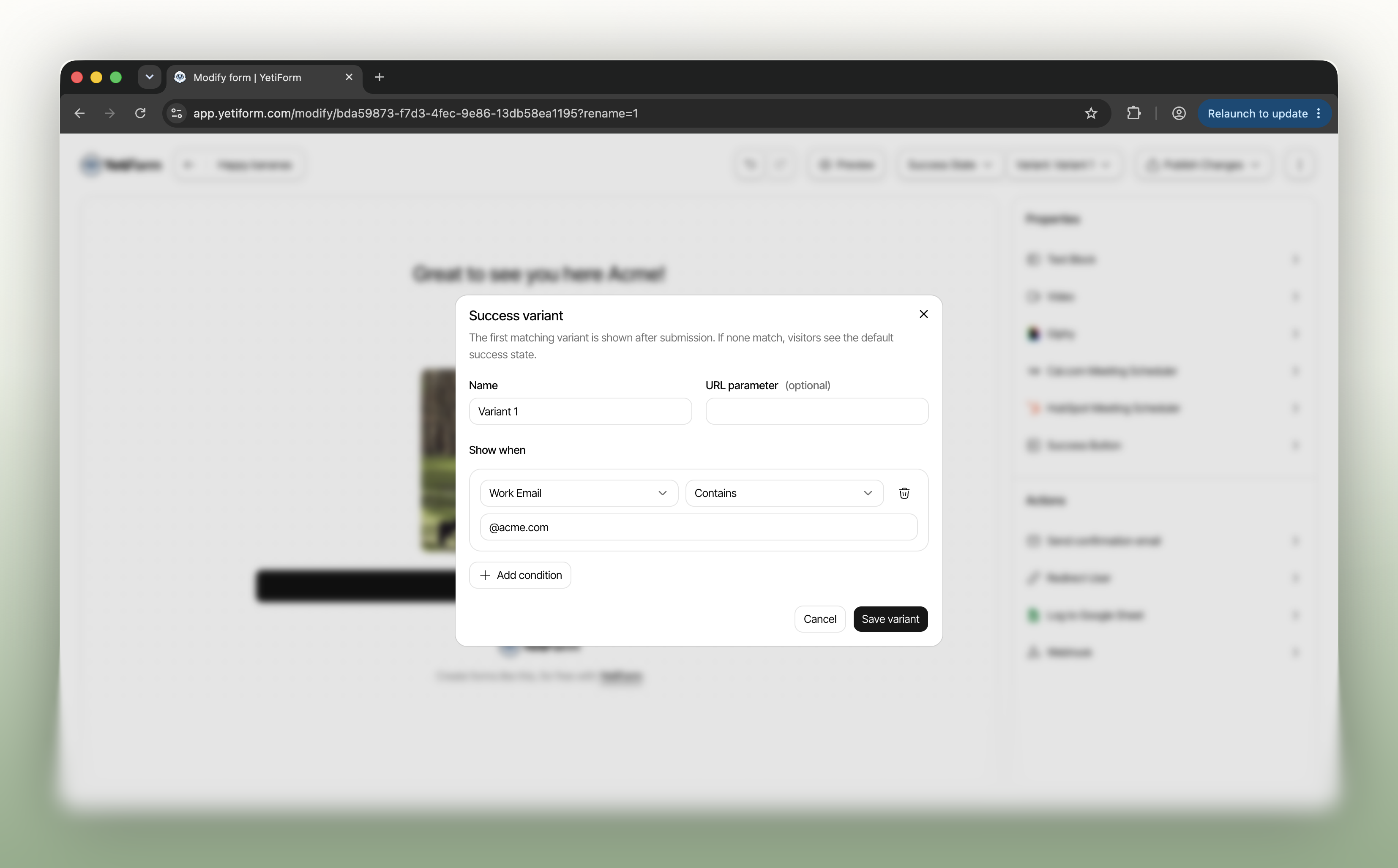
A thank-you page can do more than confirm a submission. With success variants, you can show a different message or next step to different visitors, based on the answers they give or the link they used to reach your form.
Create a variant from the Success State menu, then choose when it appears. For example, show one state when a work email contains your customer’s domain, or tailor a response to a choice in a dropdown. You can combine field conditions, and optionally use a URL parameter for campaign-specific experiences. If no variant matches, visitors see your default success state.
Success variables let you make those messages personal. Add a field token to a Text Block title or subtitle, such as Hi {full_name}!, and YetiForm fills it with that visitor’s submitted answer. The Text Block properties show the available variables for your form, ready to copy.
Your submissions dashboard also records which success variant was shown, so your team can see the experience each visitor received. Open a form’s Success State in the editor to create your first variant and personalize its message.