
New success page options and submission actions
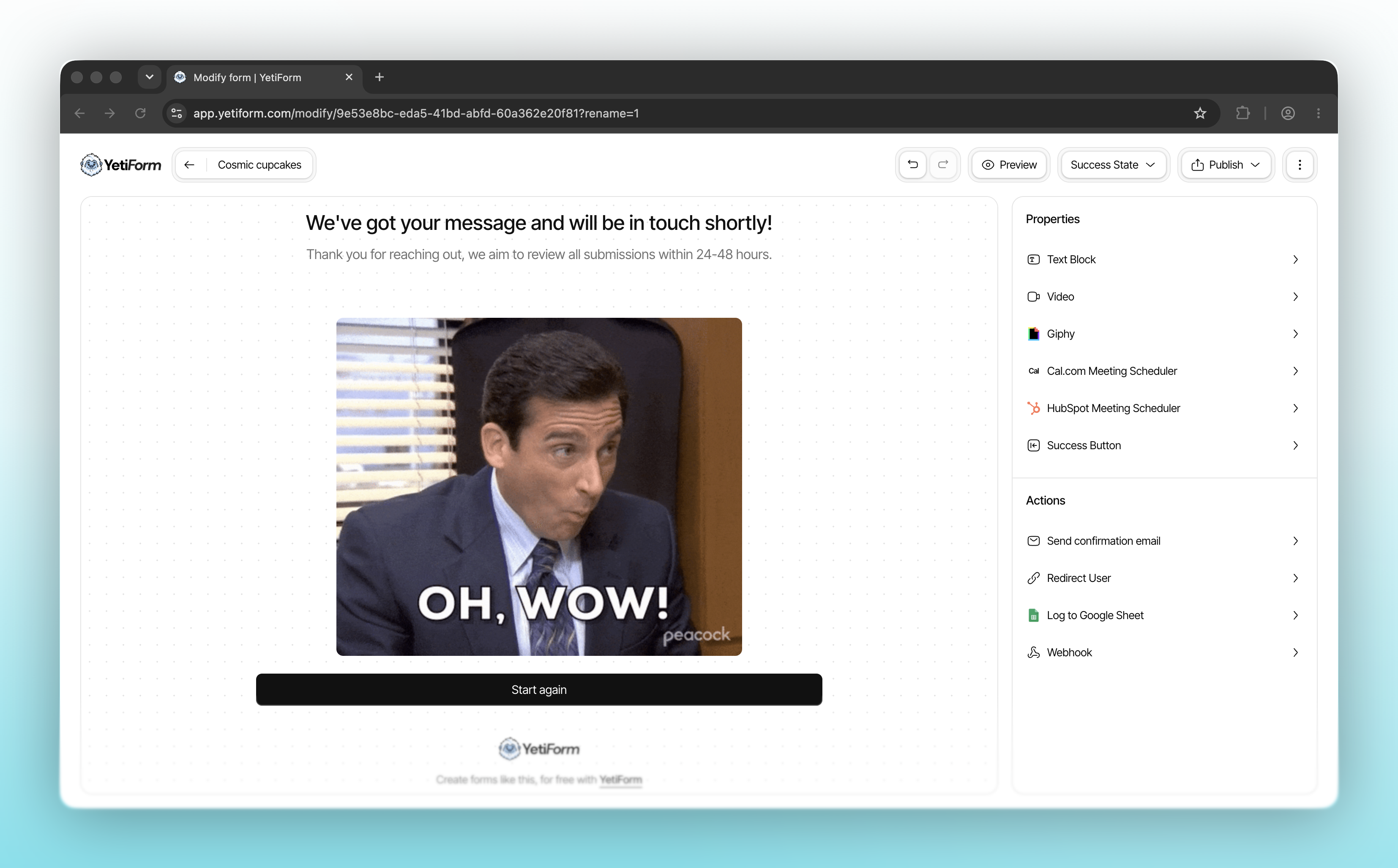
What happens after someone submits a form matters too. We’ve added more ways to shape your success page and put each response to work, all from your form’s properties panel.
You can make the success page feel more personal with text, video, and GIFs, or give visitors a next step with a Cal.com or HubSpot meeting scheduler. Confirmation emails and redirects are also available when you want to follow up or guide someone to another page.
For your team, submissions can now be logged to Google Sheets. Connect a spreadsheet to keep new responses in a place you already use for tracking, sharing, and organizing your work.
We’ve also added webhooks. Connect an HTTPS endpoint and YetiForm can send new submission data to your own backend, an automation, or another tool in your workflow. You can send a test request while setting it up, and delivery status appears alongside the submission in your dashboard.
Open a form’s Success State in the editor to explore the new options and choose what should happen after someone presses Submit.