
A clearer submissions dashboard, dark mode, and quick actions
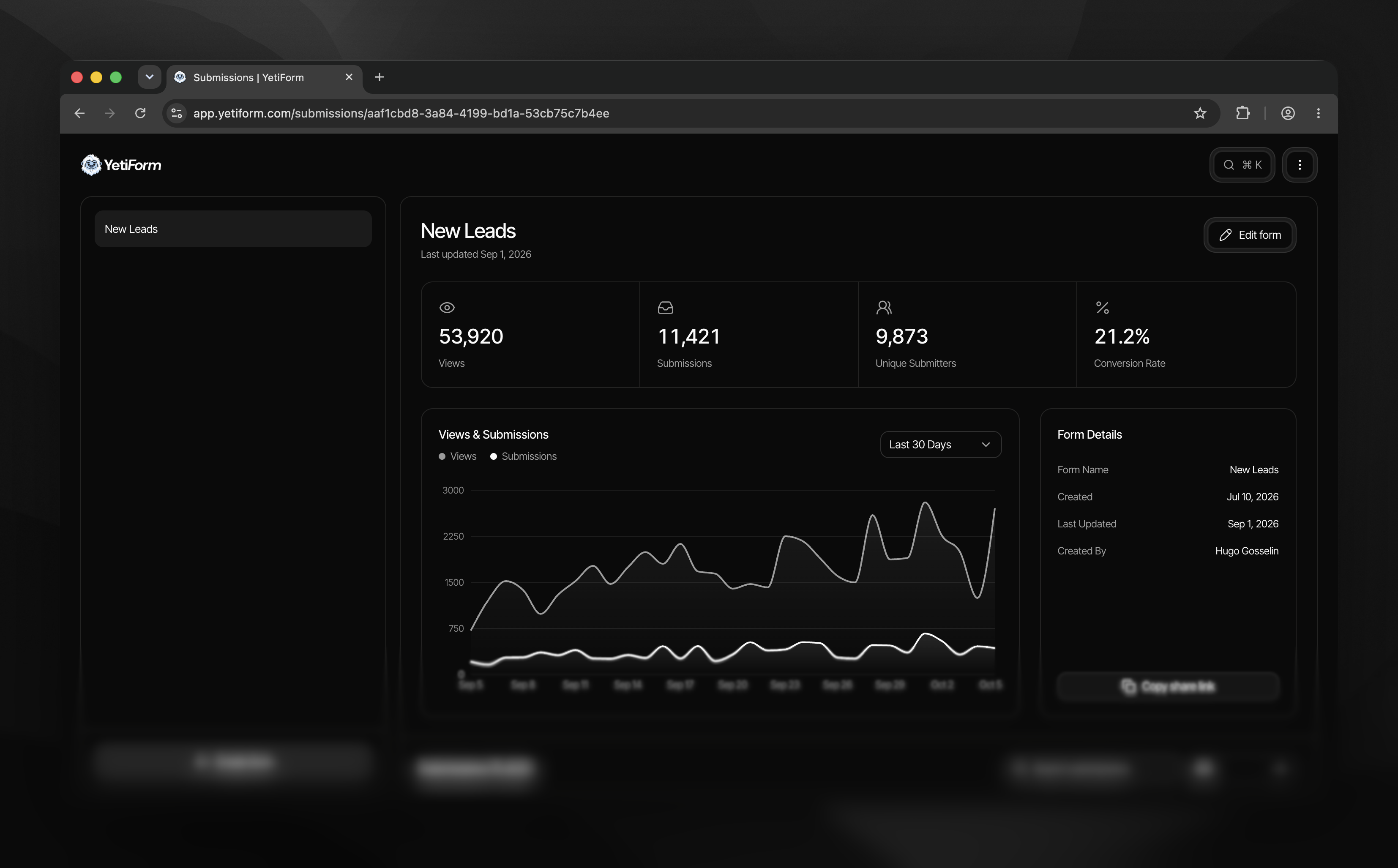
Your submissions dashboard now gives you a fuller picture of each form. See views, submissions, unique submitters, and conversion rate together, then explore views and submissions over time with a chart you can switch between recent date ranges.
Form details and a share-link shortcut sit alongside the chart. Below, submissions appear in a table with your form fields, status, search, and filters, so it is easier to find a response and keep track of what you have already read. You can also select multiple submissions and mark them as read together.
Dark mode is here across the YetiForm app. Switch modes from the quick actions menu when you want a different working environment. A form keeps its own appearance, so changing the app’s theme does not unexpectedly change what visitors see on a published form.
The new quick actions menu helps you move without hunting through screens. Press ⌘ K (or Ctrl K) to search for navigation and actions that fit where you are, such as creating a form, previewing one, opening submissions, or adding an input while editing.
Open any form’s submissions dashboard to explore the new view, or try the quick actions shortcut in your workspace.